Workloads
Workloads lists pods and deployments returned by kubectl for the selected Kubernetes-enabled Colima profile.
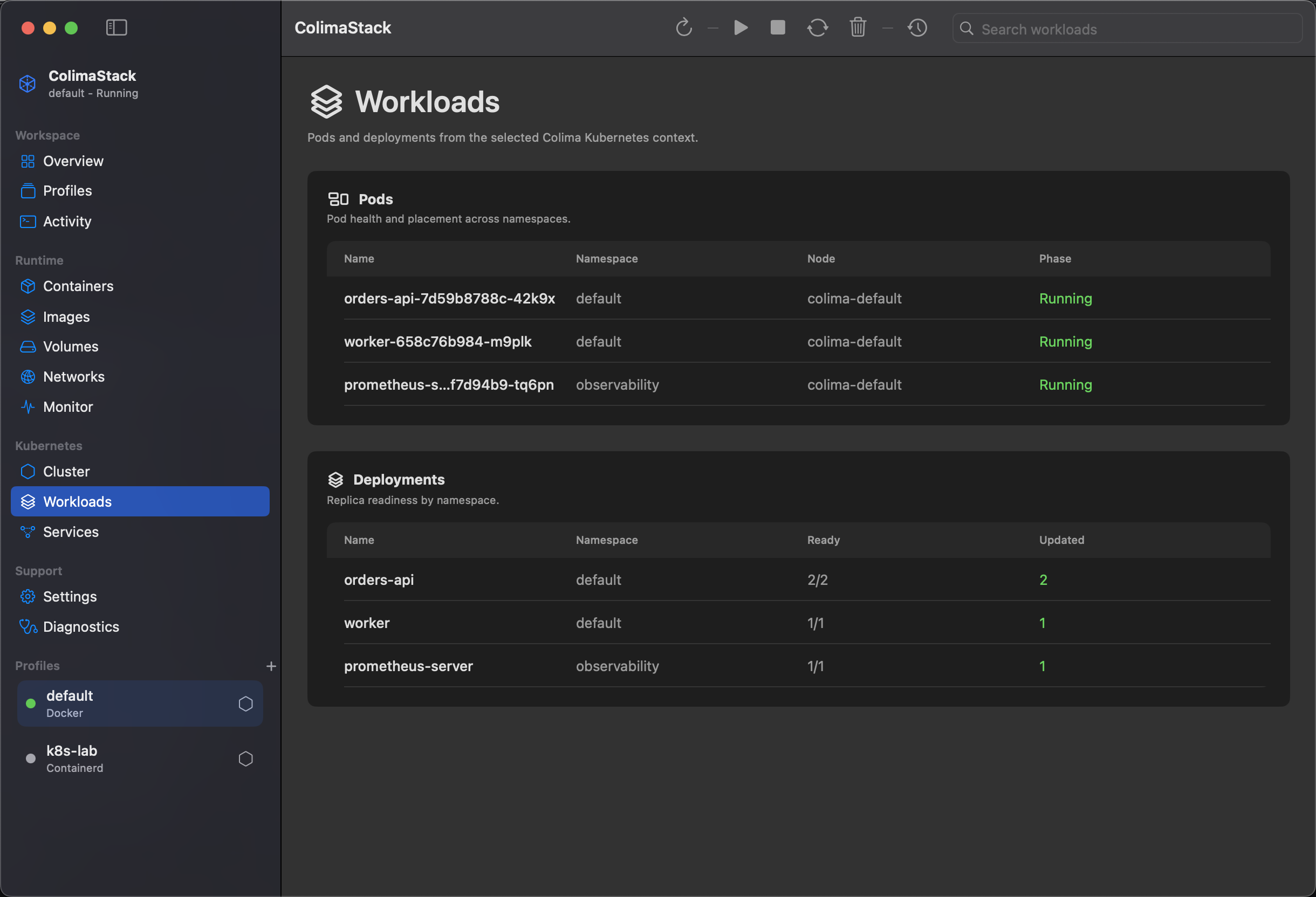
What this view shows
Section titled “What this view shows”- Pods: name, namespace, node, and phase.
- Deployments: name, namespace, ready replicas, desired replicas, and updated replicas.
- Health coloring based on pod phase/readiness and deployment replica availability.
Pods and deployments are queried across all namespaces.
How to get data to appear
Section titled “How to get data to appear”- Enable Kubernetes for the selected profile.
- Make sure the profile is running.
- Create or run workloads in the cluster.
- Click
Refresh.
Example terminal check:
kubectl get pods --all-namespaceskubectl get deployments --all-namespacesAvailable actions
Section titled “Available actions”The view is read-only in the current source. It does not scale, restart, delete, describe, or stream logs for workloads.
Empty states
Section titled “Empty states”Workloads unavailable: Colima diagnostics need to complete.No profile selected: select a profile first.Kubernetes is disabled: enable Kubernetes on the selected profile.No pods reported by kubectl: no pods were returned or the command failed.No deployments reported by kubectl: no deployments were returned or the command failed.- Search-specific empty states mean local filtering matched no rows.
Metrics
Section titled “Metrics”Kubernetes metrics are collected with kubectl top, but this page primarily lists resource state. Metrics may be unavailable when the cluster does not have metrics support.
Source commands
Section titled “Source commands”kubectl --context <context> get pods --all-namespaces -o jsonkubectl --context <context> get deployments --all-namespaces -o jsonkubectl --context <context> top pods --all-namespaces --no-headersSee Command API, Compatibility, and Diagnostics.